
The Ticklish Robot
So far, our programs have been constantly checking the sensors inside a loop, like an impatient kid asking "are we there yet?". But there is a much smarter way to program! In this mission, we will give our program "reflexes". You will learn about events, which let your code wait quietly and react instantly only when something important happens. Get ready to build a ticklish robot that bursts out laughing when you clap!
Level Basic
What will we do?
Are you a teacher?
Courses
- Grades 3-12
Materials
- Mobile phone, tablet, or computer
- Internet connection
- Cardboard, scissors and a couple of rubber bands to hold the phone against the cardboard
Description
This activity introduces students to the fundamental concept of event-driven programming. Instead of using a main loop to constantly check a sensor, they will learn to use an event block that "listens" for a change (a sudden increase in noise) and triggers a sequence of actions.
Educational Objectives
- Understand the concept of an "event" as a trigger.
- Tell the difference between a loop-based program and an event-based one.
- Create a sequence of actions that runs in response to an event.
- Build a prototype that is more interactive and more "alive".
Start (10 minutes) - The Doorbell and the Efficient Program
- Welcome the students and introduce the new concept: "Today we are going to learn a more professional and efficient way to make our programs react. Let's bring a ticklish robot to life!"
- Use a simple analogy: "Think about a doorbell. Is it constantly ringing and asking whether someone is at the door? No! It waits quietly, and it only rings when someone presses the button. That 'button press' is an event. It is a notification that wakes the program up."
- Explain that today we will teach our robot to wait for an event (a clap) and react, instead of constantly asking whether there is any noise.
The Problem with Asking Over and Over
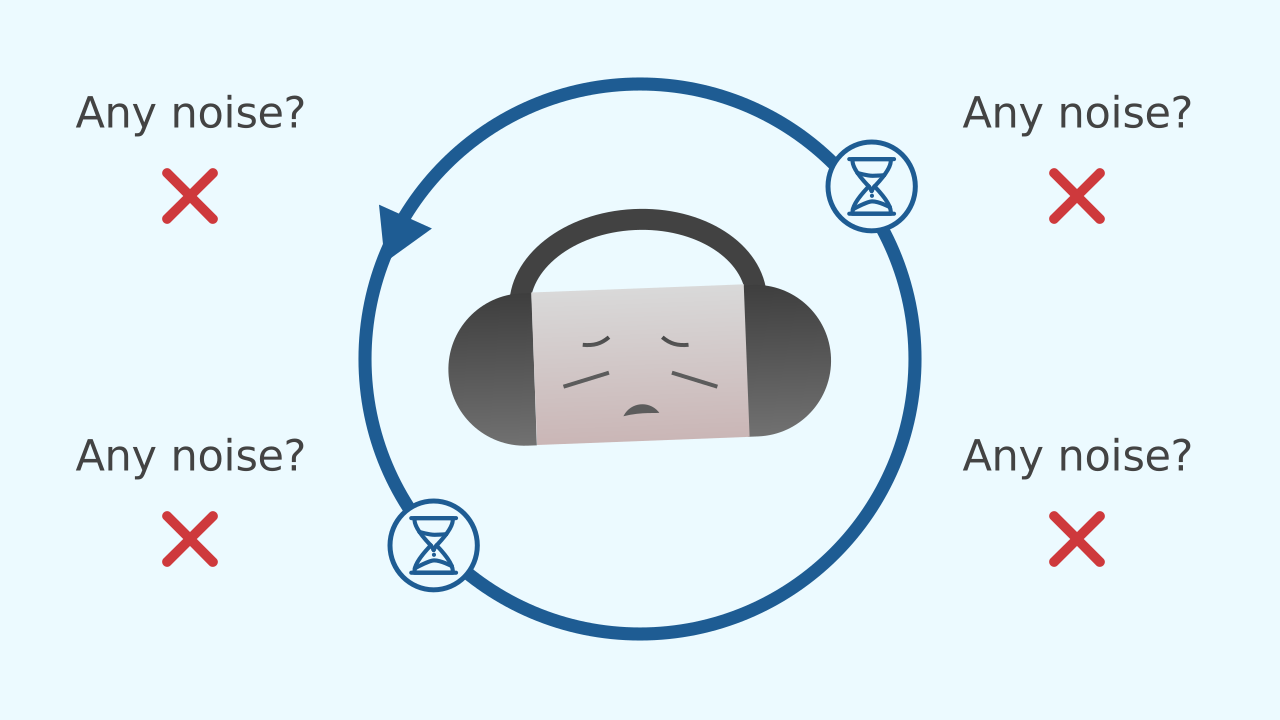
Until now, we have used a repeat forever loop to read our sensors. This method works, but it is like a kid on a car trip asking "are we there yet? are we there yet? are we there yet?" every single second. The program is constantly working and burning energy just to ask the sensor whether anything has changed, even when nothing at all is happening.
A Smarter Way: Events!
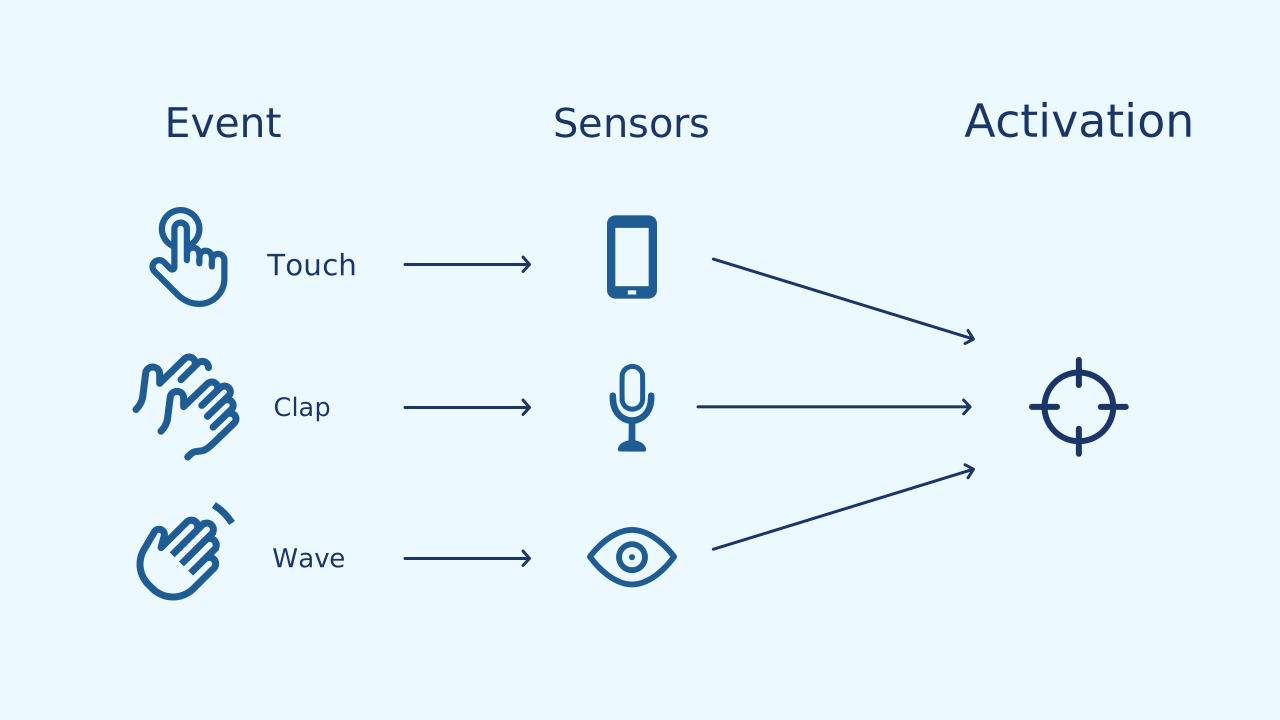
Event-driven programming is far more efficient. Instead of the program asking non-stop, it simply subscribes to a sensor and tells it: "Let me know if something interesting happens". The program can then "sleep", or wait quietly. When the sensor detects something important (like a clap), it sends a notification, an event, that wakes the program up and says: "Hey, it's time to act!".
The Event as a Trigger
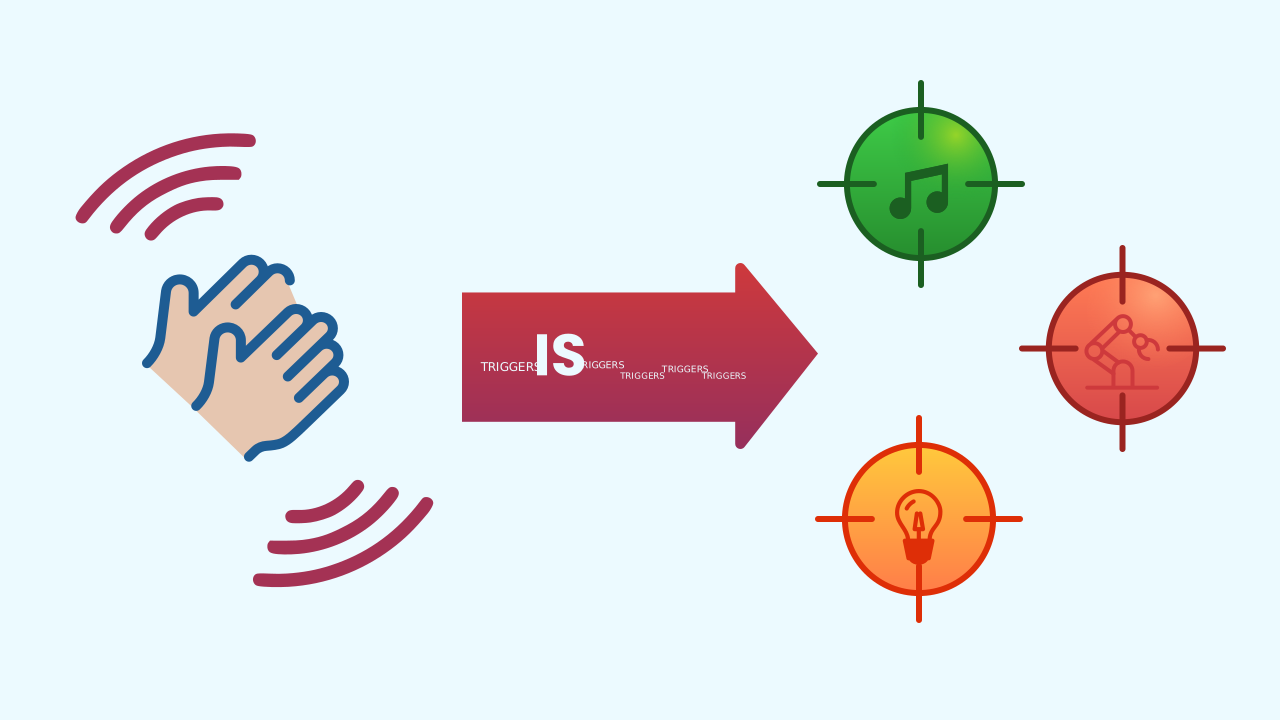
In our robot, the clap is the event, and this event acts as a trigger. It does not change the robot's behavior forever; it simply "fires off" a sequence of actions we had already prepared: the laughing animation. Once the sequence ends, the robot goes back to waiting quietly, ready for the next "shot".
Development (20-30 minutes) - Programming the Robot's Reflexes
- Now that everyone is clear that an event is a notification, it is time to build the robot.
- Guide the students through the instructions for designing the robot's face and programming its reaction to the sound event, as detailed below. Emphasize that the main logic is not inside a
repeat foreverloop.
Closing (5-10 minutes) - Events vs. Loops
- Once all the robots are laughing at every clap, it is time to consolidate this new programming paradigm.
- Start the discussion: "Did you notice that this code is different? Where is the main loop we always used? Why do you think we don't need it this time?" Use the questions in the reflect section to dig deeper into the efficiency and the power of event-based programming.
Reflect
This program feels "reactive": it responds instantly. What is the main difference between using an event and using an infinite loop to check a sensor?
The event is the "trigger". What is the "sequence of actions" that gets triggered in this project?
If you wanted the robot's laugh to last longer, which number in the code would you change?
The Problem with Asking Over and Over
Until now, we have used a repeat forever loop to read our sensors. This method works, but it is like a kid on a car trip asking "are we there yet? are we there yet? are we there yet?" every single second. The program is constantly working and burning energy just to ask the sensor whether anything has changed, even when nothing at all is happening.
A Smarter Way: Events!
Event-driven programming is far more efficient. Instead of the program asking non-stop, it simply subscribes to a sensor and tells it: "Let me know if something interesting happens". The program can then "sleep", or wait quietly. When the sensor detects something important (like a clap), it sends a notification, an event, that wakes the program up and says: "Hey, it's time to act!".
The Event as a Trigger
In our robot, the clap is the event, and this event acts as a trigger. It does not change the robot's behavior forever; it simply "fires off" a sequence of actions we had already prepared: the laughing animation. Once the sequence ends, the robot goes back to waiting quietly, ready for the next "shot".
Create
Let's build our ticklish robot.
Build the cardboard model— you will also need a couple of rubber bands to hold the phone against the cardboard
- Press ✙ Add device and select NoiseLevel to detect the claps.
- Add the LEDDraw component to show the robot's face.
- Finally, add AudioPlayer for the laugh.
- Remember that you can scan all the ▣ QR codes on the same smartphone.
We are ready to bring our robot to life!
Code Composition
Take a close look: there is no repeat forever loop for the main logic! The when the program starts block sets up the robot's static face. All the magic happens in the event block when Noise Level sudden increase. When you clap, this block fires, plays the sound, and runs a repeat 8 times loop to animate the mouth. While the mouth moves, the laugh plays on a loop: the sound repeats until something stops it. That is why, once the animation is over, a stop sound block cuts off the laugh, and one final draw puts the resting face back — the same one as in when the program starts. That is why the robot is ready for the next clap.
Reflect
This program feels "reactive": it responds instantly. What is the main difference between using an event and using an infinite loop to check a sensor?
The event is the "trigger". What is the "sequence of actions" that gets triggered in this project?
If you wanted the robot's laugh to last longer, which number in the code would you change?