
The Sunflower Alarm Clock
A simple conditional knows what to do IF something happens; if it doesn't happen, it does nothing. But what if we wanted it to do something different in each case? The most powerful programs need a Plan B. In this mission, you'll learn to program two different paths with the 'IF... ELSE...' conditional. We'll build a smart alarm clock that behaves like a sunflower: it knows when to 'wake up' with the light and when to 'sleep' in the dark.

Level Intermediate
What will we do?
Are you a teacher?
Courses
- Grades 6-12
Materials
- Microbit/phone and computer
- Internet connection
- A light source (a lamp, your phone's flashlight) and a dark place (under a table).
- Cardboard, scissors and a couple of rubber bands to hold the phone against the cardboard
Description
This activity introduces the complete "IF-THEN-ELSE" conditional structure. Students will build an alarm clock that reacts to the ambient light, running one block of code if the condition (light > threshold) is true, and a different block of code if it is false. This teaches them how to handle two mutually exclusive outcomes.
Educational Objectives
- Understand and apply the "IF... ELSE..." logical structure.
- Use the concept of a "threshold" to make a binary decision from sensor data.
- Create a program that manages two distinct states (for example, day/night or on/off).
- Strengthen logical thinking and problem solving.
Start (10 minutes) - The Need for a Plan B
- Welcome the class: "Today we are going to upgrade our programs' ability to 'think.' We will give them a Plan A and a Plan B."
- Pose the problem: "A program with only a Plan A does not know what to do when the condition is false."
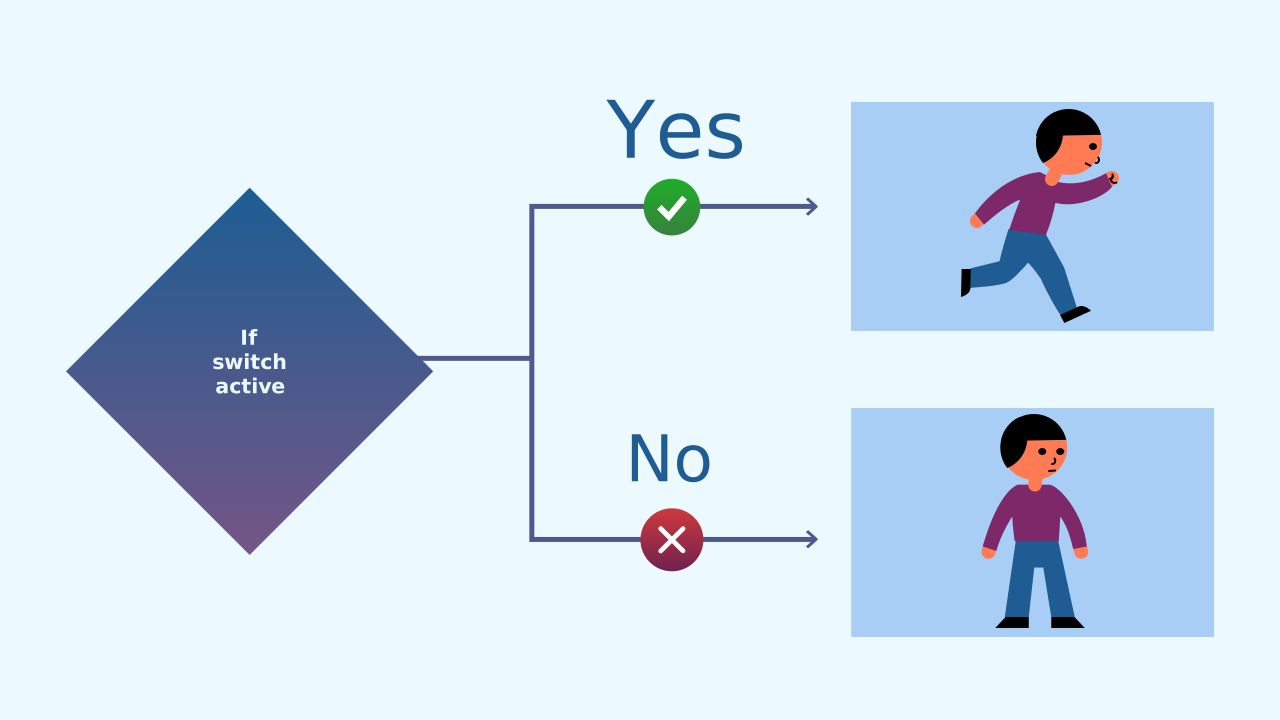
- Introduce today's concept: "Think of a light switch. IF it is on, the light comes on (Plan A). ELSE, the light goes off (Plan B). There are two clear, opposite actions. Today we will build an alarm clock that works just like that: IF there is light, a melody plays. ELSE, it switches off the melody and the screen."
Beyond 'If': The Power of 'Else'
The "if..." block is great, but sometimes we need a Plan B. The "else" block gives us exactly that. The full "if... else..." structure gives the program a foolproof set of instructions: IF this condition is true, run the first block of code. ELSE (in any other case, that is, if the condition is false), run this second block of code. The program will always take one of the two paths. Never both, and never neither.
Light Sensors and Thresholds
Your phone has an ambient light sensor that measures how bright your surroundings are and turns it into a number. But how does a program decide whether it is "daytime" or "nighttime"?
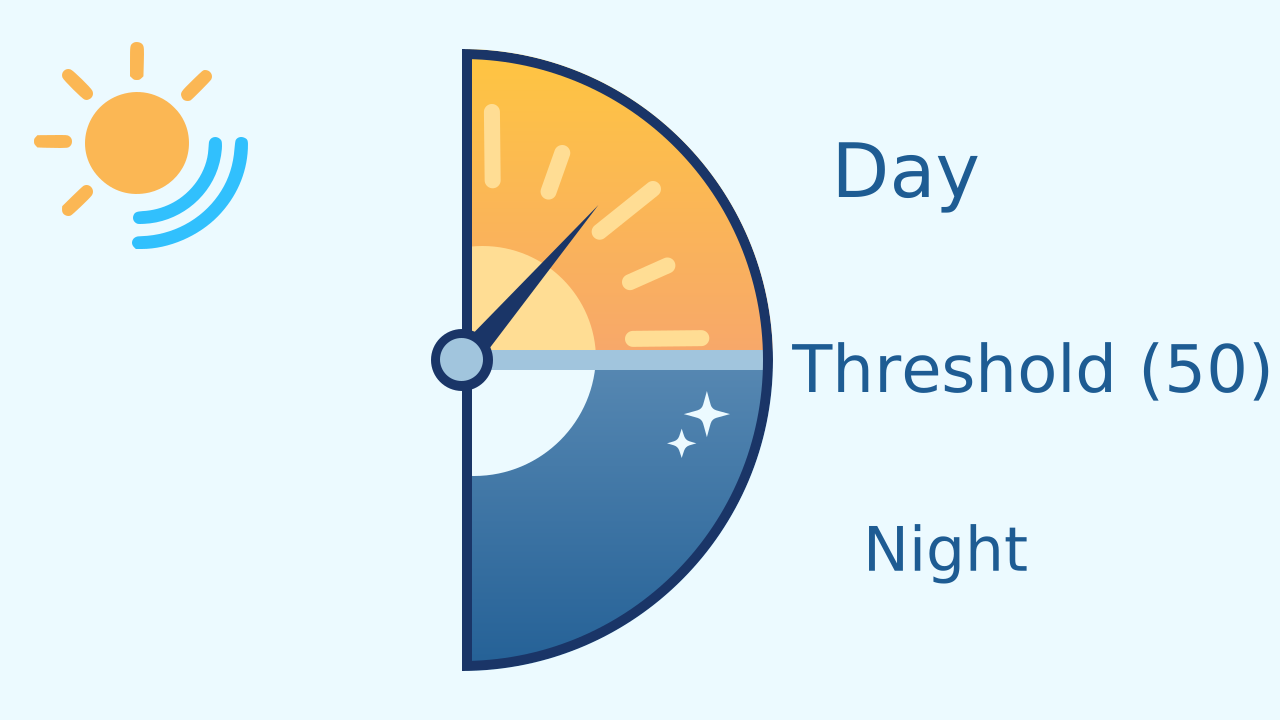
That is what a threshold is for: it is simply a "cut-off point." In our project, the threshold will be the number 50. If the sensor reads a value above 50, our program will consider it "daytime." If it reads a value below it, it will consider it "nighttime."
The Sunflower's Logic
Now we can put our ideas together to build the alarm clock:
- Condition: Is the light sensor's value greater than 50?
- IF TRUE (there is light): Time to wake up! Run the code on the "if" path: play the melody and draw a sun.
- ELSE (FALSE, it is dark): Back to sleep! Run the code on the "else" path: stop the music and turn off the screen.
Development (20-30 minutes) - Programming the Sunrise
- Now that the students understand the logic of the two paths, it's time to build the alarm clock.
- Lead them through the instructions for creating the prototype and programming the 'IF... ELSE...' logic, as detailed below. Encourage them to test their alarm clock by covering and uncovering the light sensor to see how the program instantly picks between the two paths.
Closing (5-10 minutes) - Two Paths, One Decision
- Once everyone's alarm clock is working, reflect on the new logical structure they have just learned.
- Ask the class: "What exactly happens in the code when the condition 'light > 50' is true? And what happens an instant later, when it becomes false? Why is this structure more powerful than a plain 'IF'?" Use the reflect section to explore how flipping this logic can create completely different projects.
Reflect
What is the fundamental difference between an "if" conditional and an "if... else..."? When would you use each one?
What is a "threshold," and why is it so important for programs that make decisions based on sensors?
Our alarm clock is triggered by light. How would you change the condition so that the sun lights up in the dark? And what else would you have to change to make it a true night light, and not a nighttime alarm?
Beyond 'If': The Power of 'Else'
The "if..." block is great, but sometimes we need a Plan B. The "else" block gives us exactly that. The full "if... else..." structure gives the program a foolproof set of instructions: IF this condition is true, run the first block of code. ELSE (in any other case, that is, if the condition is false), run this second block of code. The program will always take one of the two paths. Never both, and never neither.
Light Sensors and Thresholds
Your phone has an ambient light sensor that measures how bright your surroundings are and turns it into a number. But how does a program decide whether it is "daytime" or "nighttime"?
That is what a threshold is for: it is simply a "cut-off point." In our project, the threshold will be the number 50. If the sensor reads a value above 50, our program will consider it "daytime." If it reads a value below it, it will consider it "nighttime."
The Sunflower's Logic
Now we can put our ideas together to build the alarm clock:
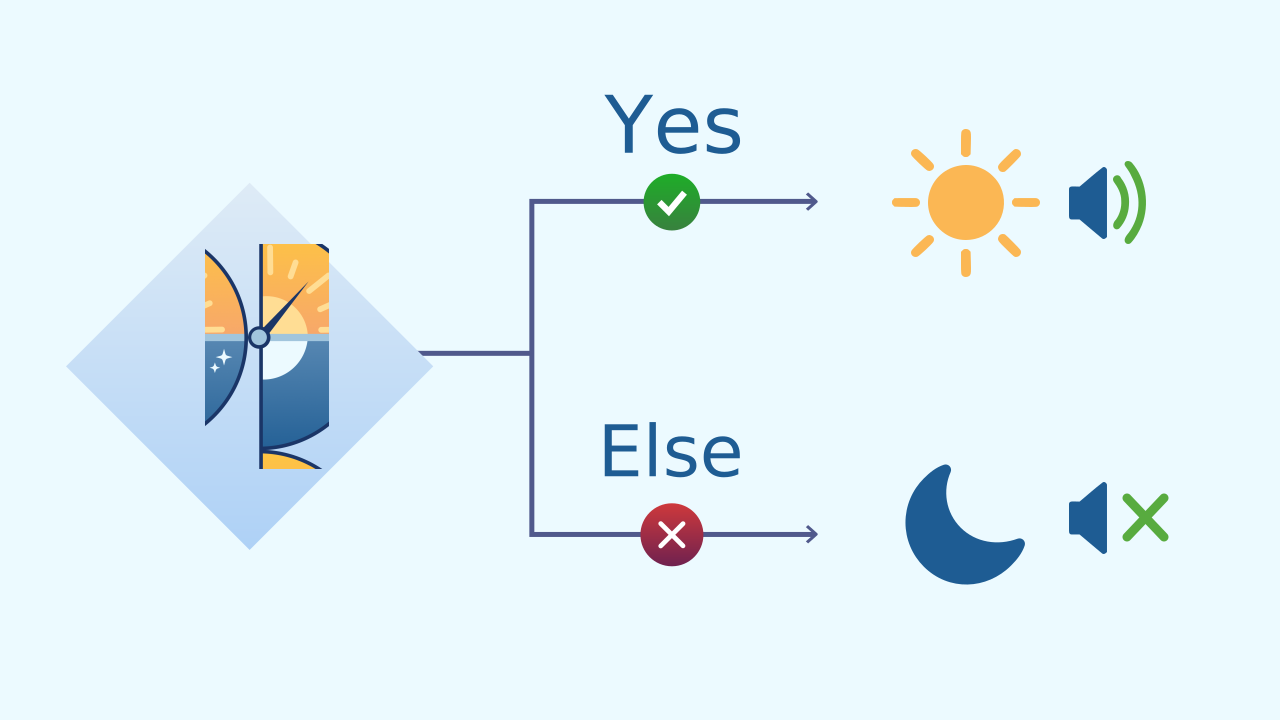
- Condition: Is the light sensor's value greater than 50?
- IF TRUE (there is light): Time to wake up! Run the code on the "if" path: play the melody and draw a sun.
- ELSE (FALSE, it is dark): Back to sleep! Run the code on the "else" path: stop the music and turn off the screen.
Create
Let's build the sunflower alarm clock!
Build the cardboard model— you will also need a couple of rubber bands to hold the phone against the cardboard
- We will need 3 components on our phone: LightIntensity to 'see' the sunrise, AudioPlayer for the alarm melody, and LEDDraw to show a sun.
- Remember to scan all the ▣ QR codes on the same device.
We are ready to program the sunrise!
Code Composition
Inside the main loop, the if... else... block takes full control. On every cycle it evaluates the condition light intensity > 50. If it is true, the first group of blocks runs (the alarm goes off). If it is false, it skips the first group and runs the second one (the alarm switches off). The program is always choosing one of these two paths, without hesitating.
Reflect
What is the fundamental difference between an "if" conditional and an "if... else..."? When would you use each one?
What is a "threshold," and why is it so important for programs that make decisions based on sensors?
Our alarm clock is triggered by light. How would you change the condition so that the sun lights up in the dark? And what else would you have to change to make it a true night light, and not a nighttime alarm?