
The Glowing Heart Keychain
Want to give your things a personal touch? Let's turn your device into a glowing keychain with a beating heart! In this mission, you'll create your very first animation. You'll discover how to give instructions in a specific order (a sequence) and how to repeat them forever with loops, bringing your digital heart to life with a steady rhythm. You can even add sound effects to the animation to make it feel more real.

Level Basic
What will we do?
Are you a teacher?
Courses
- Grade 5 and up (age 10).
Materials
- Mobile phone and computer
- Internet connection
- Cardboard, scissors and a couple of rubber bands to hold the phone against the cardboard
Description
This activity introduces students to the three pillars of basic programming: sequences, infinite loops, and nested loops. They will create a customizable digital object (an animated keychain) that makes an excellent first dive into computational thinking.
Educational Objectives
- Understand the concepts of sequence, infinite loop, and nested loop.
- Create an animated technological object (prototype) using a mobile phone.
- Identify how sequences and repetitions can be used to create animations.
- Evaluate their own work and propose creative modifications.
Start (10 minutes) - The Secret of Animation
- Welcome the class and introduce the activity: "Today we are going to create our first animated, customizable gadget: a glowing heart keychain!"
- Spark their curiosity: "How do you think animations work in cartoons or video games?"
- After listening to their ideas, explain that it all comes down to showing images in a specific order (a sequence) very quickly. To keep the animation from ever stopping, programmers use a magical tool called a "loop". Let's explore how it works!
- Briefly explain how LEDs and speakers work, and how they will be used in the activity.
What Is a Sequence?
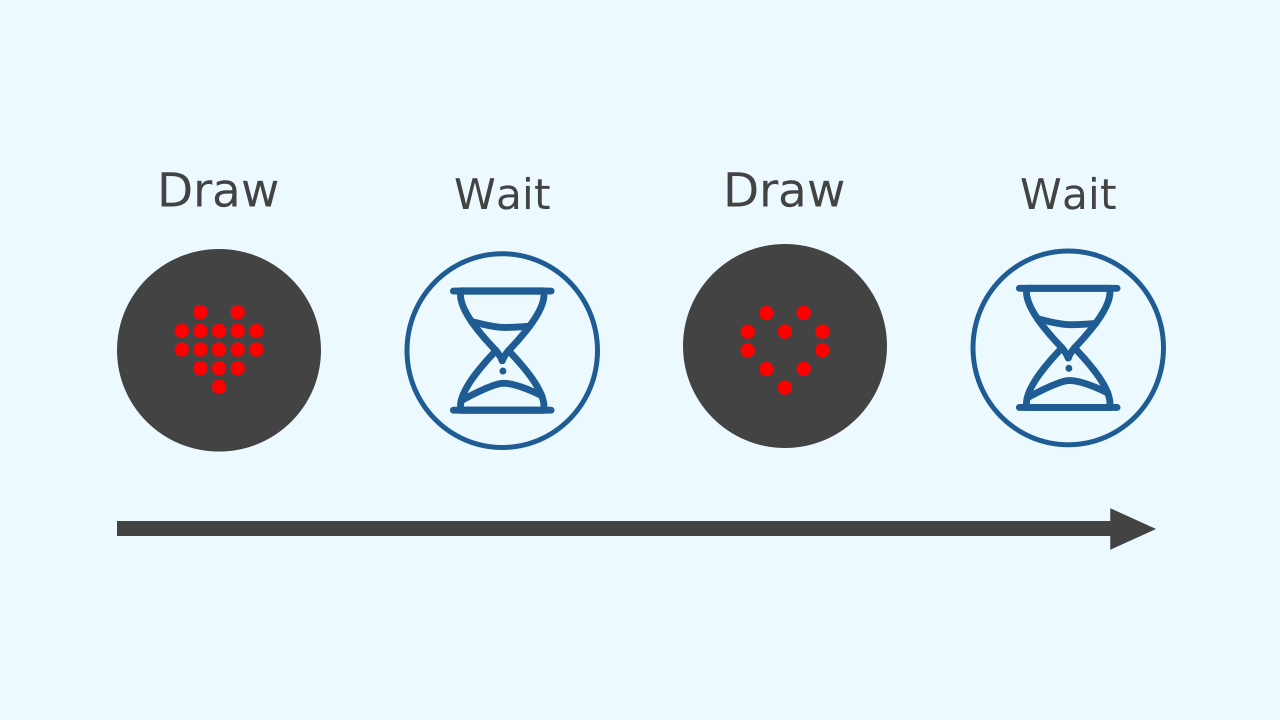
In programming, a sequence is simply a series of instructions that run one after another, in a strict order. It's like following a recipe: first you mix the ingredients, then you bake them. You can't bake them before you mix them. The computer follows your blocks from top to bottom, exactly as you have placed them.
The Infinite Loop: Repeat Forever!
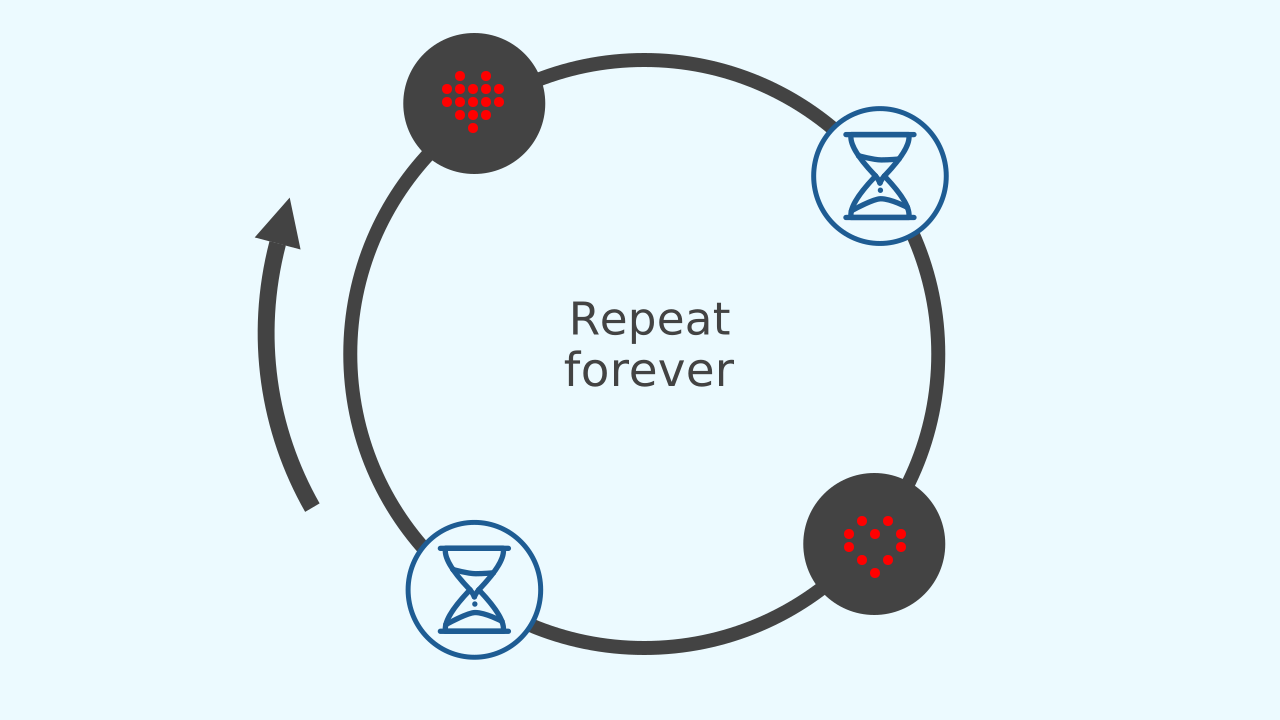
What if you want an action to repeat forever without ever stopping? That's exactly what an infinite loop is for! The repeat forever block is like the engine of our program. Everything you put inside it runs again and again, creating a non-stop cycle. It's perfect for our heartbeat animation, because we want it to keep beating for as long as the program is running!
Nested Loops: A Rhythm Inside the Rhythm
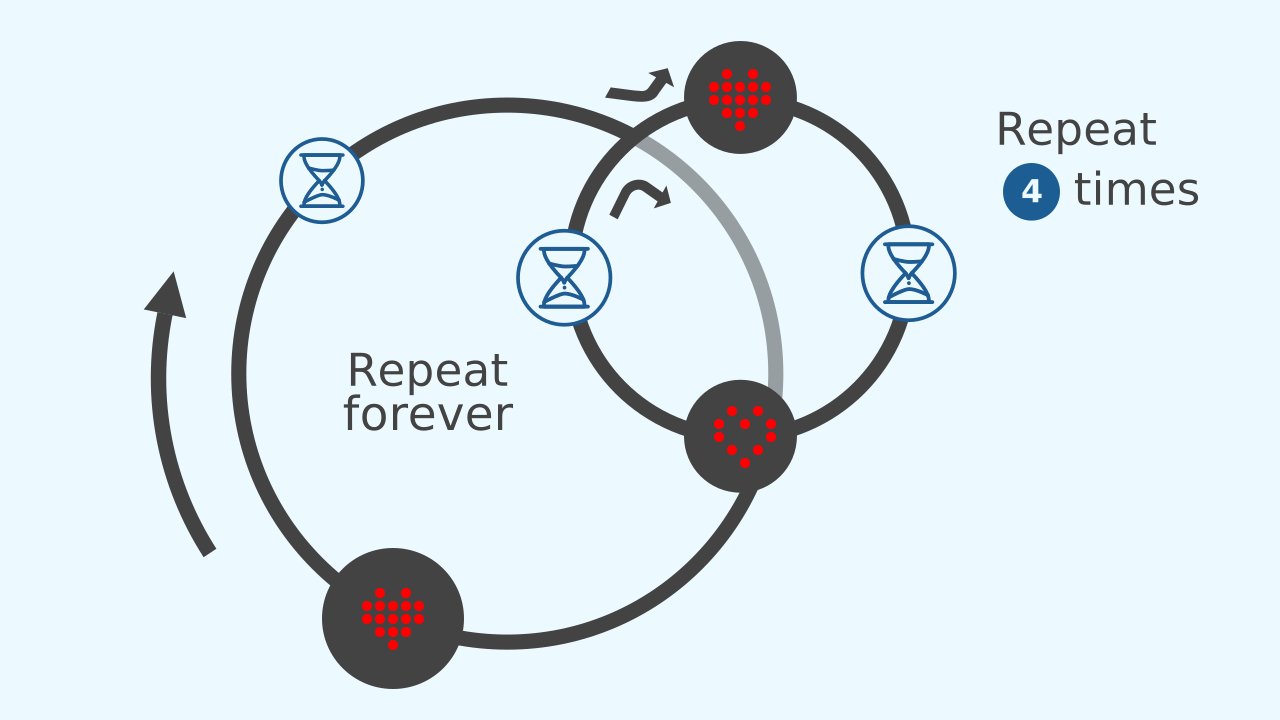
We can make our animations even more interesting by putting one loop inside another. We call these nested loops. In our project, the repeat forever loop creates the main, steady heartbeat. Inside each beat, we'll use a smaller, faster repeat 4 times loop to create a brand new beating rhythm. It's like having a fast rhythm inside a slower one!
Development (20-30 minutes) - Bringing the Heart to Life
- Now that the key concepts are clear, it's time to program the heartbeat!
- Make sure every student has a device ready and guide them through the step-by-step process for creating their animated keychain, as detailed below. Encourage them to notice how each part of the code contributes to the final effect.
Closing (5-10 minutes) - Rhythmic Reflection and Challenge
- Excellent work! Once all the hearts are beating, it's time to look closely at what they have built.
- Start the discussion: "Awesome! Our heart is beating, but which part of the code keeps it beating non-stop? And which part creates the sound?" Use the following questions to guide the conversation and reinforce the concepts of the different kinds of loops.
Reflect
You have just created your first animation. Which part of the code makes the heart beat non-stop?
And which part creates the fast rhythm effect after the main beat?
What would happen if you changed the number in the nested loop from 4 to 10? And what if you changed the time pauses?
What Is a Sequence?
In programming, a sequence is simply a series of instructions that run one after another, in a strict order. It's like following a recipe: first you mix the ingredients, then you bake them. You can't bake them before you mix them. The computer follows your blocks from top to bottom, exactly as you have placed them.
The Infinite Loop: Repeat Forever!
What if you want an action to repeat forever without ever stopping? That's exactly what an infinite loop is for! The repeat forever block is like the engine of our program. Everything you put inside it runs again and again, creating a non-stop cycle. It's perfect for our heartbeat animation, because we want it to keep beating for as long as the program is running!
Nested Loops: A Rhythm Inside the Rhythm
We can make our animations even more interesting by putting one loop inside another. We call these nested loops. In our project, the repeat forever loop creates the main, steady heartbeat. Inside each beat, we'll use a smaller, faster repeat 4 times loop to create a brand new beating rhythm. It's like having a fast rhythm inside a slower one!
Create
Let's build our heart keychain.
Build the cardboard model— you will also need a couple of rubber bands to hold the phone against the cardboard
- Press ✙ Add device and select the LEDDraw component, which is where the animation will be shown.
- Press ✙ Add device again and select MusicalDrum to add the sound of the heartbeat.
- Remember that if you don't have a smartphone to scan the QR codes, you can press Open in this window to open the components on the same computer.
Now we are ready to write the code.
Code Composition
Click on the question mark symbol to open the comments that explain the code. Notice how the repeat forever loop wraps around everything, and inside it there is a repeat 4 times loop for the pulsing animation.
Reflect
You have just created your first animation. Which part of the code makes the heart beat non-stop?
And which part creates the fast rhythm effect after the main beat?
What would happen if you changed the number in the nested loop from 4 to 10? And what if you changed the time pauses?