
The Blinking Heart
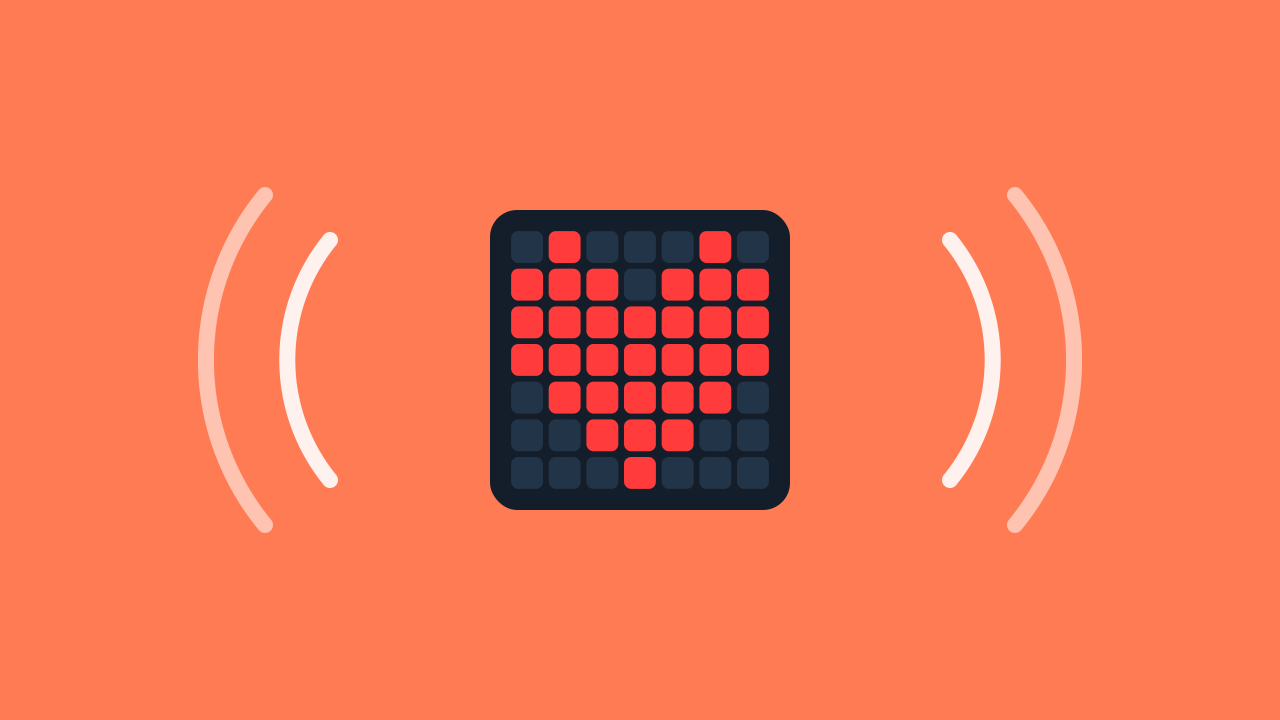
A blinking heart looks alive. But how do you tell a computer when to turn on and when to turn off? That rhythm is not random: it is programmed with a sense of time. In this mission you will become the master of time: you will build a sequence of instructions and use pauses to make a glowing heart blink with the rhythm you decide.
Level Basic
Are you a teacher?
Grades
- Grades 3-12
Materials
- Mobile phone, tablet or computer
- Internet connection
Description
In this activity students learn two fundamental programming concepts: the sequence (instructions run one after another, in order) and timing (the pauses that make actions visible). They will use them to program a glowing heart that blinks on an LED panel.
Educational Goals
- Understand the concepts of "sequence" and "timing".
- Create a technological object (prototype) using a device.
- Identify the relationships between technology and the surrounding world.
- Evaluate their own work and that of others, individually and in teams.
- Discuss and reflect on ideas for improvement.
Opening (10 minutes) - Introducing the Concept of Time
- Welcome the students and present the activity: "Today we will program a glowing heart that turns on and off, as if it were beating."
- To spark the discussion, start with a question: "Do you know what makes the screen of your phone light up?"
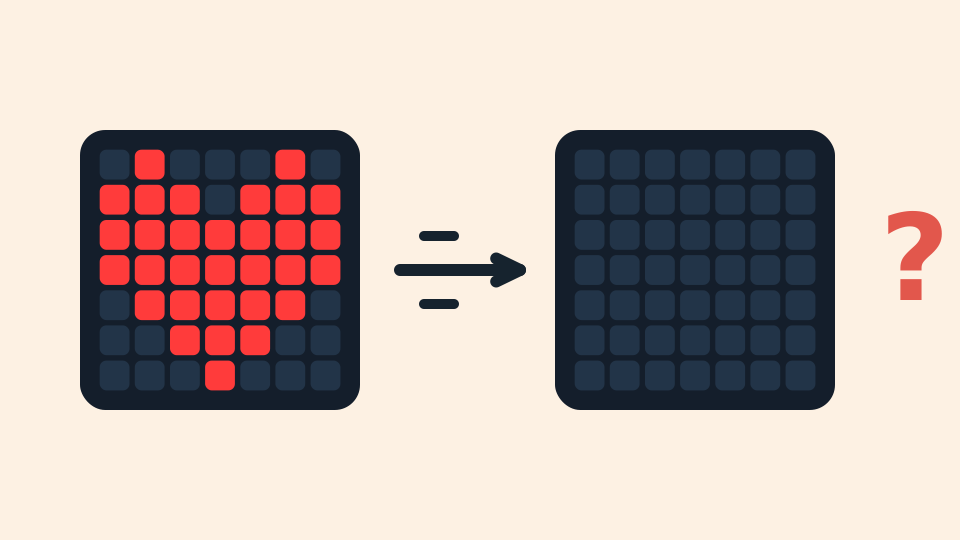
- After they share their ideas, explain that the screen is made of tiny lights called LEDs. Then pose a thought experiment: "Imagine writing a program that tells the heart to turn on and, on the very next line, to turn off. What do you think you would see?" Let them discuss. The answer is... nothing! This is the perfect moment to explain that computers are incredibly fast and why we need to program pauses, introducing the concept of "timing".
What is an LED?
Have you ever looked closely at the screen of your TV or smartphone? It is made of millions of tiny, powerful lights called LEDs. LEDs are all around us, from the big ones that light up a room to the small ones that work together to create the images you see on a screen.
And the phone screen?
Your phone's screen is full of thousands of these tiny LEDs. When you watch a video or look at a photo, these are the lights turning on and off to form the image. Our glowing heart works the same way: it is a drawing made of LEDs, and with our code we decide when it turns on and when it turns off.
The Speed Problem
Here is a riddle: imagine telling your prototype to turn the heart on and then, in the very next instruction, to turn it off. You would expect to see a quick flash, right? But you would actually see nothing! Why? Machines are incredibly fast! The heart turns on, but it goes dark so quickly that our human eyes cannot even notice it.
The Pause that Makes Everything Visible
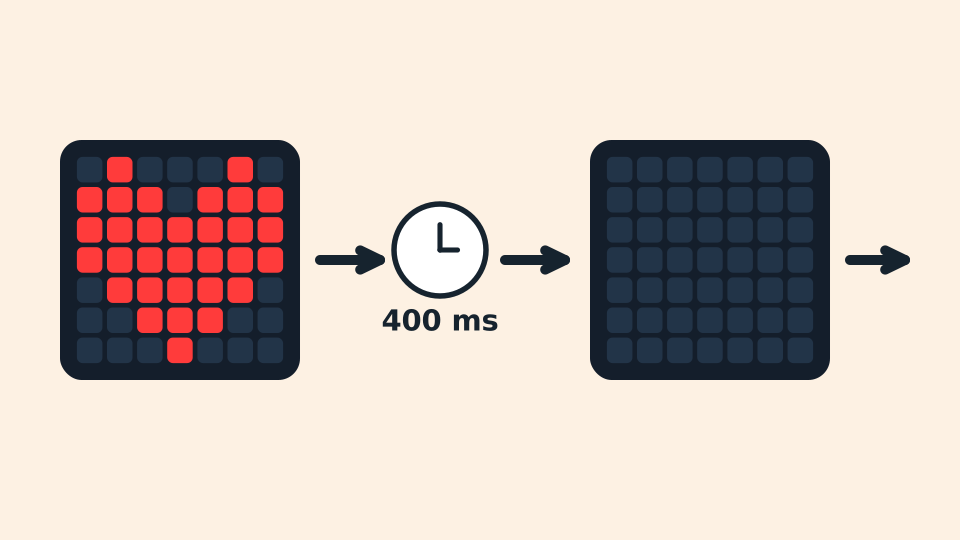
Computers cannot guess what we want: we have to tell them how long to wait between one instruction and the next. This act of pausing for a precise amount of time is called timing. In programming we can measure time in seconds or in milliseconds (1000 milliseconds = 1 second). With a 400-millisecond pause between turning on and turning off, the heart's blink becomes perfectly visible.
A Sequence with Rhythm
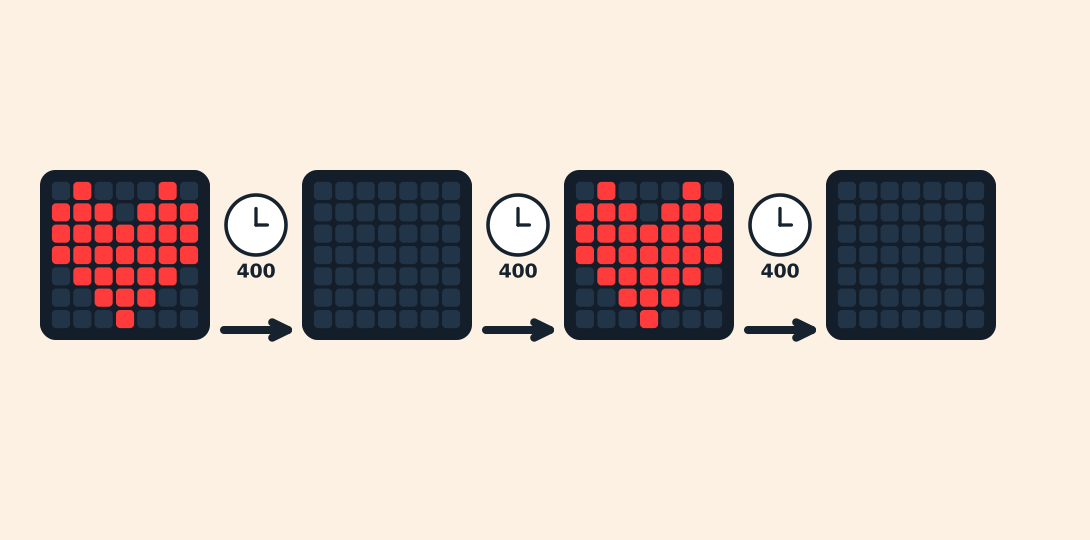
In programming, a sequence is a series of instructions that run one after another, in strict order, from top to bottom. Our sequence will be: turn the heart on, wait, turn the heart off, wait. And then again, as many times as we want the heart to blink. The pauses between one instruction and the next are what gives the rhythm.
Development (20-30 minutes) - Building the Blinking Heart
- With the theory of timing covered, it is time to put it into practice and make the heart blink.
- Guide your students through the instructions to connect the device and program the sequence, detailed in the hands-on section below. Encourage them to experiment with different waiting times to see how the rhythm of the blink changes.
Closing (5-10 minutes) - Reflection and Future Applications
- Excellent! Once every heart is blinking, move to a final discussion to consolidate their understanding and challenge them to think big.
- Start the reflection with the key question of the activity: "In what other situations could we use timing?" Use the following questions to guide a conversation about how time is used in everyday technology.
Reflect
Your heart is blinking! In what order do the instructions of your sequence run?
What would happen if you removed the pauses? And if you made them longer, or shorter?
In what other real-world situations could you use timing? Think of traffic lights, illuminated signs, games, or even tools you use every day.
What is an LED?
Have you ever looked closely at the screen of your TV or smartphone? It is made of millions of tiny, powerful lights called LEDs. LEDs are all around us, from the big ones that light up a room to the small ones that work together to create the images you see on a screen.

And the phone screen?
Your phone's screen is full of thousands of these tiny LEDs. When you watch a video or look at a photo, these are the lights turning on and off to form the image. Our glowing heart works the same way: it is a drawing made of LEDs, and with our code we decide when it turns on and when it turns off.

The Speed Problem
Here is a riddle: imagine telling your prototype to turn the heart on and then, in the very next instruction, to turn it off. You would expect to see a quick flash, right? But you would actually see nothing! Why? Machines are incredibly fast! The heart turns on, but it goes dark so quickly that our human eyes cannot even notice it.
The Pause that Makes Everything Visible
Computers cannot guess what we want: we have to tell them how long to wait between one instruction and the next. This act of pausing for a precise amount of time is called timing. In programming we can measure time in seconds or in milliseconds (1000 milliseconds = 1 second). With a 400-millisecond pause between turning on and turning off, the heart's blink becomes perfectly visible.
A Sequence with Rhythm
In programming, a sequence is a series of instructions that run one after another, in strict order, from top to bottom. Our sequence will be: turn the heart on, wait, turn the heart off, wait. And then again, as many times as we want the heart to blink. The pauses between one instruction and the next are what gives the rhythm.
Create
Let's build our blinking heart.
- Open Protobject on the computer and press ✙ Add device, then select the LEDDraw component: it is the panel where the heart will blink.
- Scan the ▣ QR code with your smartphone.
- The wait blocks live in the Timing category.
- Remember that if you do not have a smartphone to scan QR codes, you can press Open in this window to open the component on the same computer.
Now we are ready to write the code.
Code Composition
The whole sequence lives inside the when the program starts block, which runs it from top to bottom: turn on, wait, turn off, wait — repeated several times, one instruction after another. To turn the heart off you draw an empty panel, with every square switched off. Click the question marks to open the comments that explain the code. Remember: the wait blocks are in the Timing category.
Now start the prototype!
Press the green ▶ RUN button and look at your device: the heart blinks with the rhythm you programmed!
Reflect
Your heart is blinking! In what order do the instructions of your sequence run?
What would happen if you removed the pauses? And if you made them longer, or shorter?
In what other real-world situations could you use timing? Think of traffic lights, illuminated signs, games, or even tools you use every day.